 EN
EN
Wireless vs Wired Intraoral Cameras: A Comparison for Dental Distributors
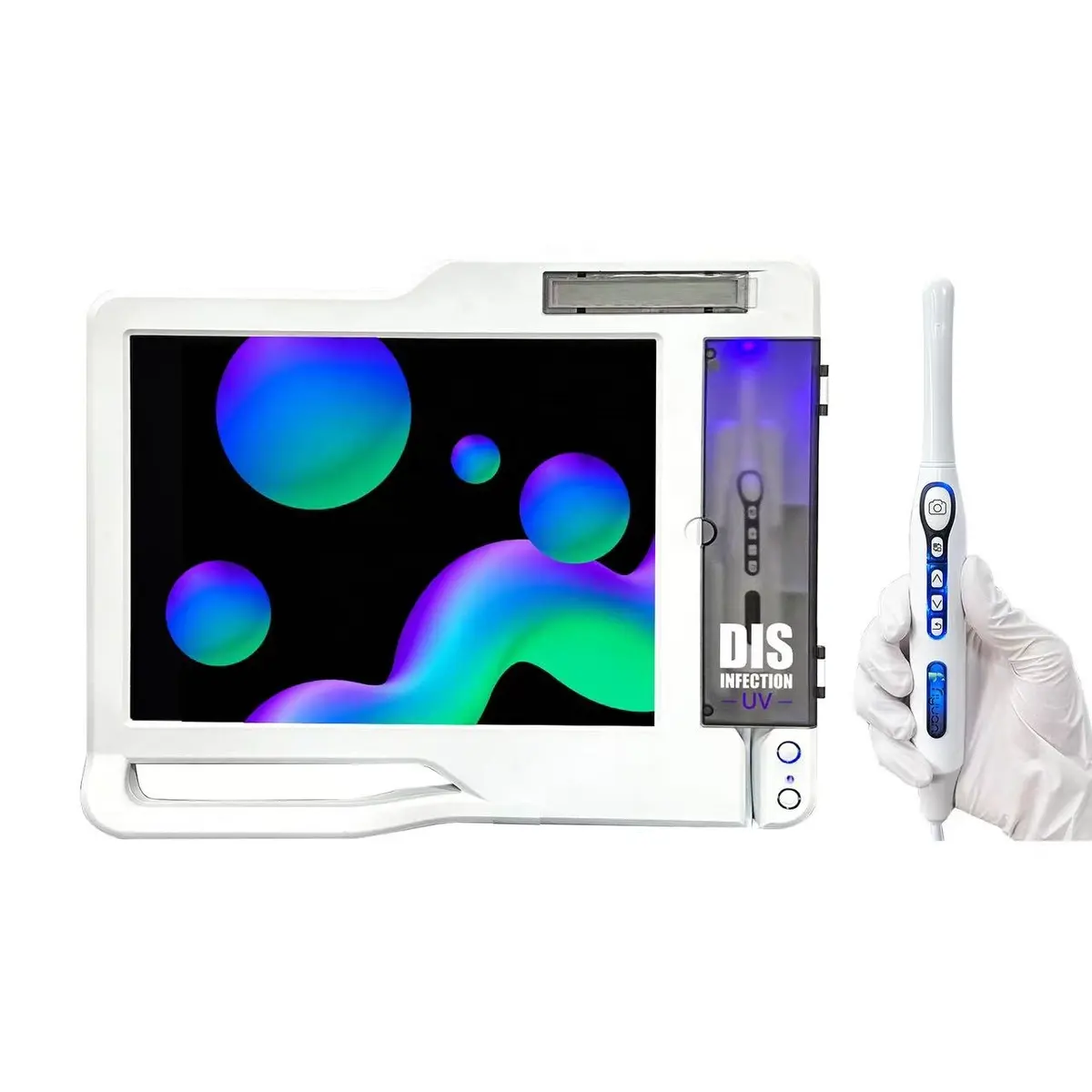
"Wired or wireless?" is the first question almost every clinic asks about an intraoral camera, and it is usually the wrong place to start. Clinics tend to assume wireless is simply the newer, better version of the same product. In practice the two are different tools with different failure points, and the right choice depends far more on what is already in the surgery — a PC, a sensor, an X-ray unit, a reliable network — than on the cable.
This guide is written for distributors and importers who have to recommend, stock and support these cameras, not for a single dentist choosing one. The goal is to help you match the configuration to the clinic, so the camera is still being used a year after installation instead of sitting in a drawer.
There are really four configurations, not two
"Wired" and "wireless" hide four quite different set-ups. It helps to separate them before comparing anything:
- USB handpiece to an existing device. The camera plugs into a PC or laptop over USB-A, or into an Android phone or tablet over USB Type-C. There is no dedicated screen. This is the lowest-cost entry point and the most portable, and it relies entirely on the clinic's own device and software.
- Handpiece with a dedicated monitor, wired. The camera connects to its own screen — commonly 17 or 19 inches — and many units also offer VGA, HDMI or TV/AV output so the image can be shown on a larger display in the room. Images auto-save to a USB flash drive. No PC is needed.
- WiFi / Bluetooth handpiece with a monitor. The same monitor-based set-up, but the handpiece transmits to the screen without a cable. On our 17-inch models the monitor runs an embedded operating system with single-screen and four-screen display, stores up to 32 GB of images in JPG, and draws 35 W.
- All-in-one touch-screen computer. A 24-inch touch display (1366×768, Windows 10) with the camera built into the workflow. The practical advantage is that it can also connect to a digital sensor and an X-ray unit, so intraoral photos and radiographs are viewed and stored on one screen at the chair.
Most comparisons you will find online only compare the first and third. Your customers are choosing between all four.
Side-by-side comparison
| Factor | USB to PC / phone | Wired monitor | WiFi monitor | 24" all-in-one |
|---|---|---|---|---|
| Signal path | Cable to clinic device | Cable to dedicated screen | Wireless to dedicated screen | Integrated |
| Latency on screen | Lowest | Lowest | Can lag if WiFi is congested | Low |
| Set-up at the chair | Depends on clinic PC and drivers | Plug in and go | Pairing, then plug-and-go | Mount, connect, configure once |
| Main wear point | Cable and connector | Cable and connector | Handpiece battery and charging | Cable; screen mount |
| Needs a clinic PC? | Yes (or phone) | No | No | No — it is the PC |
| Works with sensor / X-ray? | Through clinic software | No | No | Yes |
| Typical buyer | Budget, mobile, already has imaging software | Single-chair clinic, low IT | Clinic that wants cable-free handling | Clinic wanting one imaging station |
Image quality: the sensor and optics matter more than the cable
The cable does not determine image quality; the sensor, lens and lighting do. When you evaluate a camera, look at these rather than at "wireless HD" on the box:
- Sensor. Our cameras use a CMOS sensor. Ask any supplier for the actual sensor specification, not just a marketing pixel count — interpolated "megapixel" figures are common in this category and say little about real resolution.
- Illumination. Six cold-light LEDs around the lens is the norm for good, even lighting without heat. Fewer LEDs usually shows up as dark corners on posterior teeth.
- Focus range. A hand-held focus range of roughly 5–50 mm covers single-tooth close-ups through to a full quadrant. A narrow focus range is the most common reason dentists stop using a camera: every shot needs repositioning.
- Display resolution. A sharp sensor on a low-resolution monitor looks soft. Check both. Some of our models output at 1920×1080.
Where wireless does affect image quality is compression and latency. A wireless link has to compress the video stream, and on a busy network the preview can stutter or lag behind the handpiece. Still images are usually fine; the live view is what suffers. The simplest test is to move the handpiece quickly across the arch while watching the screen. If the image trails behind your hand, dentists will notice immediately.
Clinic WiFi is the real variable in wireless
Wireless intraoral cameras are only as reliable as the radio environment in the surgery. This is where most after-sales complaints about "wireless cameras" come from, and it is rarely the camera's fault.
- Multi-chair clinics. Several wireless cameras, a clinic router, staff phones and sometimes wireless handpiece controls can all share the same band. Ask the factory how the handpiece pairs to its monitor and whether it can be moved to a different channel if there is interference.
- Distance and walls. A camera that works perfectly on a sales desk may not work through a wall to a monitor in another position. Install the monitor in direct line of sight of the chair.
- Battery. The wireless handpiece has a battery that must be charged and will eventually need replacing. Ask for the battery capacity, expected charge cycles and whether the battery is a replaceable part. For a distributor this is the single most important spare-parts question on a wireless model.
In markets or buildings with unreliable power or crowded WiFi, a wired monitor set-up is often the more dependable recommendation, even if the clinic initially asked for wireless.
Infection control
Both types are used with disposable barrier sleeves over the handpiece. The difference is what happens around the sleeve:
- A cable runs from the handpiece across the working area. It is another surface to wipe down between patients and a common path for contamination if staff skip it.
- A wireless handpiece removes the cable, which is a genuine hygiene and ergonomics advantage.
- Some of our wireless models include a UV disinfection function built into the handpiece holder, so the handpiece is exposed to UV while it is docked between patients. This does not replace sleeves or surface disinfection, but it is a useful selling point for clinics that are auditing infection control.
Integration: what else is already in the surgery?
This is the question that should decide the configuration more often than it does.
- The clinic already has a PC with imaging software. A USB camera is usually the cleanest fit, provided it is compatible with their software. Confirm driver support for the clinic's operating system before quoting.
- The clinic has no PC at the chair and does not want one. A monitor-based camera, wired or WiFi, is self-contained. Images save to a USB drive and can be moved to a computer later.
- The clinic is adding a digital sensor or X-ray unit. This is where the 24-inch all-in-one earns its price. Photos and radiographs on one touch screen at the chair make case presentation much easier, and it is one installation instead of two.
- Mobile outreach and home visits. A USB Type-C camera running on an Android tablet or phone is light, cheap and needs no mains power at the chair.
Power and voltage
For export, check the power supply before anything else. Our monitor-based units run on 100–240 V, 50–60 Hz, so the same unit can ship to 110 V and 220 V markets with only the plug changed. Confirm the plug type for each destination on the proforma invoice, not after the container has left.
What to stock as a distributor
If you are building a camera range rather than filling a single order, a practical starting mix is:
- One wired monitor model as the dependable default for single-chair clinics and markets with unstable power or crowded WiFi.
- One WiFi model with UV disinfection for clinics that specifically want cable-free handling and a visible infection-control feature.
- One all-in-one touch computer for clinics investing in sensors or X-ray — the highest ticket and the strongest differentiator against online sellers offering bare USB cameras.
- A USB / Type-C camera as a low-cost entry item and for mobile work.
For spare parts, plan around the wear points in the table above: handpiece cables and connectors for wired models, and batteries and chargers for wireless ones. Holding a small stock of these locally is what keeps a camera in use — and keeps the clinic buying from you.
Checklist before you order
- Actual sensor specification and a sample image taken on the same model you are ordering
- Number of LEDs and hand-held focus range
- Monitor size and resolution; video outputs (VGA / HDMI / AV) if the clinic wants a second screen
- For wireless: pairing method, channel options, battery capacity and whether the battery is replaceable
- Storage method (USB drive, internal storage) and image format
- Operating-system and software compatibility for USB models
- Sensor and X-ray connectivity if the clinic is going digital
- Voltage range and plug type per destination market
- Which parts are covered by warranty, and spare-part lead times
Talk to us about your market
VOTEN Medical manufactures intraoral cameras in all four configurations described here, alongside dental chairs and clinic equipment, from our factory in Foshan, China. You can browse the full intraoral camera and monitor range, including the wireless camera with UV disinfection handle, the 17-inch WiFi monitor camera, the wired camera with HDMI, VGA and USB output, the 24-inch all-in-one touch-screen system and the USB Type-C portable camera.
If you are equipping new clinics, our dental clinic equipment checklist shows where the camera fits in a complete fit-out. For distributor pricing, sample units and spare-parts terms, contact our export team — tell us your market and the clinics you supply, and we will suggest a starting range.