
Search for the best intraoral camera and you get ranked lists. They are not much use to a dealer, and not much use to a dentist either, because the camera that is best for a clinic with a PC and practice software at every chair is the wrong one for a single-chair practice with no computer in the surgery. The sensor inside most cameras sold in 2026 is a similar HD CMOS part; what separates a good purchase from a bad one is the configuration, three or four specifications, and the manufacturer behind it.
This guide is written for distributors choosing what to stock and for clinics choosing what to buy. It covers the four types on the market, the specifications that actually change the picture, what drives the price, how to vet a manufacturer in China, and which camera to recommend to which clinic. Our companion article, wireless vs wired intraoral cameras, goes deeper on the cable question.
What an intraoral camera is for in 2026
A dentist can see a cracked cusp with a mirror. The patient cannot — and a patient who sees it on a screen accepts the crown. That is still the main job of an intraoral camera: case acceptance. The second job has grown: documentation — before-and-after records, images attached to insurance claims, photos sent to a lab or a specialist, and the remote second opinions that became normal after 2020. Neither job needs a clinical-grade imaging system; both need a sharp, well-lit image that appears on a screen the patient can see within a second of the button being pressed.
The four types sold today
| Type | How it works | Fits a clinic that… | VOTEN model |
|---|---|---|---|
| USB camera | Handpiece plugs into a Windows PC, laptop or — over USB Type-C — an Android phone or tablet; images are saved on that device | already has a computer and software at the chair, or does mobile and outreach work | X8 |
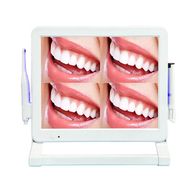
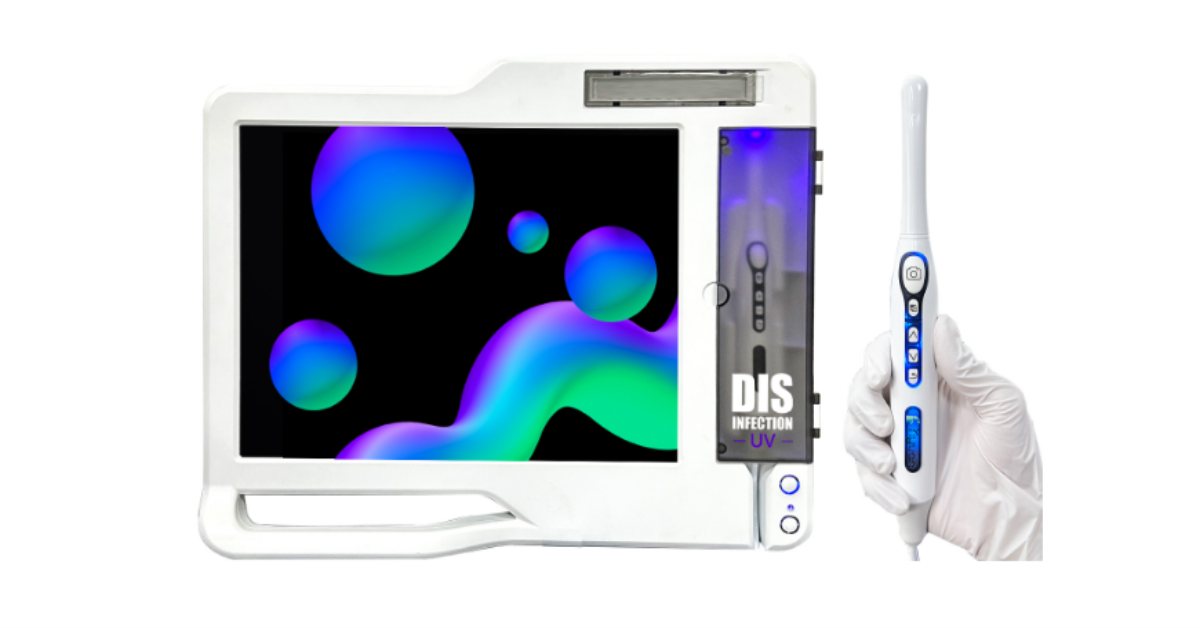
| Wireless handpiece with its own monitor | Wi-Fi / Bluetooth handpiece sends the image to a 17-inch monitor with an embedded system; saves JPG to a USB stick; no PC needed | has no computer in the surgery and wants a stand-alone unit | X3 |
| All-in-one camera computer | Touch-screen Windows PC on the chair post with the camera built in; also connects a digital sensor and X-ray unit | wants photos and radiographs on one screen for case presentation | X5 (19") · X6 (24") |
| Smartphone camera | The USB-C version of the USB camera, used with a phone or tablet app | does home visits, school screening or a second camera for a hygienist | X8 (Type-C) |
The traditional "wired vs wireless" split hides the real decision, which is where the image is going to be displayed and stored. Settle that first and the type chooses itself.
The specifications that matter — and the ones that do not
Sensor and resolution
Most cameras in this class use an HD CMOS sensor. Resolution figures on data sheets are often the sensor's native count rather than the image you will see; what matters is the output image and the screen it is shown on. A 24-inch touch screen at 1366 × 768 or a 17-inch monitor at 1280 × 1024 cannot display more detail than that, so a camera advertised with a far higher megapixel count gives no visible advantage on the same screen. Ask for sample images at full size rather than a number.
Illumination
The LEDs around the lens are what make a molar look like a molar rather than a shadow. Six cold-light LEDs is the usual specification for a well-lit handpiece; fewer LEDs produce dark distal surfaces. Cold-light LEDs also keep the handpiece tip cool during a long exam, which patients notice.
Focus range
Dental cameras are fixed-focus with a deep depth of field, and the range is the specification that decides whether dentists keep using the camera. A 5–50 mm focus range covers a single-tooth close-up through to a quadrant without repositioning; a narrow range means every shot needs a second attempt, and the camera ends up in a drawer. Autofocus is rare in this class and not needed if the fixed range is right.
Capture buttons and latency
A handpiece with buttons for freeze, capture and image navigation lets the dentist work without touching the screen or a mouse; two buttons is the minimum, five is comfortable. The delay between pressing the button and the frozen image appearing matters more on wireless models, where the clinic's Wi-Fi is in the chain — the comparison article explains how to test it.
Outputs, storage and format
JPG is the format every practice system reads. Beyond that, check how images leave the camera: a USB stick (up to 32 GB on the X3), the connected PC or phone (X8), or a built-in SSD on the all-in-one models; and whether there is a VGA / HDMI output to a wall screen, which is the single feature that most improves case presentation in a small surgery.
Software and integration
For a USB camera, the question is whether the clinic's practice software recognises it as a standard camera; most do, but confirm with the software name and version before ordering. For an all-in-one, the question is whether it connects the digital sensor and X-ray unit the clinic already has or plans to add — this is where the X5 and X6 earn their price over a monitor-only unit, because photos and radiographs then sit on one screen at the chair.
What does not matter much
Megapixel counts above what the screen shows; "4K" on a handpiece that feeds a 1366 × 768 display; app ecosystems the clinic will never open; and the colour of the handpiece. Weight and shape matter more than any of them: a handpiece that is heavy or thick at the tip is tiring for the dentist and uncomfortable for the patient.
What determines the price
Dealers ask us about price before anything else, so here is what moves it, without numbers — prices depend on the model, quantity, branding and destination and are quoted on the proforma invoice:
- Whether a screen or a computer is included. A USB handpiece is a camera; an all-in-one is a Windows PC with a 24-inch touch screen, an SSD and a camera. Most of the difference between the cheapest and the most expensive model on a price list is the computer, not the optics.
- The sensor and the LEDs, which set image quality, and the wireless module on cable-free models.
- Software — a patient-record application, sensor and X-ray integration — and the testing behind it.
- Branding and quantity. OEM branding on the monitor, handpiece, packaging and manual is available on most models above a minimum quantity; the first order of a new brand costs more per unit than the repeat.
- After-sales. Warranty length, spare handpieces and cables in the box, and who answers the technical call.
The comparison to make is not the unit price but the price of the spare handpiece and cable, because those are the parts that wear and the parts a clinic will need in year two. A low unit price with an expensive or unavailable handpiece is a bad deal for the dealer who has to service it.
How to choose an intraoral camera manufacturer in China
A dealer searching for an intraoral camera manufacturer in China will find many names that look alike, most of them in Guangdong. Seven questions separate them:
- Factory or trading company? Ask for the factory address, a video call from the production line, and which models are made in-house. A trader can be a fine partner, but it cannot change a specification or hold spare parts for a model it does not build.
- Which certificates cover this model? Ask for the certificate with the model number on it. A certificate for the factory's dental chairs does not cover its cameras, and a quality-system certificate (ISO 13485) covers the factory, not a product. Which documents your market requires is set by your regulator — the country guides in our country pages list them.
- Can we test it with our software before we commit? A sample unit, tested in a real clinic with the practice software and the sensor the clinic uses, is the cheapest mistake-prevention in this category.
- What is in the box, and what is the spare-parts list? Handpiece, cable, adapter, bracket, disposable sleeves, software licence — and the price and lead time of each as a spare.
- What are the OEM options and the minimum quantity? Logo on the monitor, handpiece, packaging and manual; which can be done on a first order and which need volume.
- Who answers the technical call, and how fast? Online support in your time zone, a named technical contact, and a response time on the proforma invoice, not in a brochure.
- What has changed in the last two years? A manufacturer that updated its software, added a Type-C model or changed its sensor is one that will still be making the camera when you need the spare handpiece.
Which camera to recommend to which clinic
- New single-chair practice, no PC in the surgery: the Wi-Fi handpiece with its own 17-inch monitor (X3). It works on day one, saves images to a USB stick and shows them on a wall screen over HDMI; the UV holder is a visible hygiene point for the patient.
- Clinic with a PC and practice software at the chair: the USB camera (X8). Lowest cost, no new screen, images straight into the patient's record. Confirm software compatibility first.
- Clinic adding a digital sensor or X-ray, or selling larger treatment plans: the all-in-one camera computer — the 24-inch X6 for case presentation, the 19-inch X5 where the surgery is compact or the dentist prefers a keyboard.
- Mobile dentistry, school programmes, a hygienist's second camera: the USB-C version of the X8 with an Android phone or tablet.
- Multi-chair clinic: usually one all-in-one in the consultation surgery and USB or Wi-Fi cameras in the others — the images need to end up in the same record, so settle the software before the hardware.
For a distributor's first stock order, the pattern that works is three models — the X3 as the default for clinics without a PC, the X8 as the entry item, and one all-in-one for clinics adding imaging — with spare handpieces and cables for each.
Infection control and daily care
Every intraoral camera is used with a disposable sleeve over the handpiece, changed between patients; the sleeve is a consumable the dealer should stock. The handpiece itself is wiped with a surface disinfectant compatible with its housing — not immersed, not autoclaved. A UV light in the holder, as on the X3, is an additional step and a visible reassurance to patients, but it does not replace the sleeve. The cable on a wired handpiece is the part that fails first, almost always at the handpiece end, which is why a spare cable belongs in every clinic's drawer.
Questions dealers ask
Is a wireless camera better than a wired one?
Neither is better; they fit different rooms. Wireless removes the cable across the chair and needs reliable clinic Wi-Fi; wired has no latency and no battery. The decision is where the image is displayed, not how it travels.
Do I need a camera with a built-in screen?
Only if there is no screen at the chair already. A clinic with a PC and practice software is better served by a USB camera; a clinic with nothing at the chair is better served by a monitor unit or an all-in-one.
Can the same camera connect to an X-ray sensor?
A USB camera cannot; it is a camera. The all-in-one camera computers (X5, X6) connect a digital sensor and an X-ray unit so that photographs and radiographs are viewed and stored on one screen.
What warranty should I expect?
One year is the norm for this class, with online technical support. What matters more than the length is whether spare handpieces, cables and adapters are available and how quickly a technical question is answered.
Can I put my own brand on the camera?
Yes, on most models, above a minimum quantity — on the monitor, the handpiece, the packaging and the manual. Ask which options are open on a first order and which need volume.
Talk to us about your market
VOTEN Medical makes intraoral cameras in Foshan, China, in the four configurations above — the X8 USB and Type-C camera, the X3 Wi-Fi camera with 17-inch monitor, and the X5 and X6 all-in-one camera computers — each with a 1-year warranty, online technical support and OEM branding for distributors. Tell us which clinics you sell to and what software they use and we will recommend the configuration, send sample images at full size, and quote with the spare-parts list on the same proforma invoice. The full range is on the intraoral cameras page.
Talk to the factory
Specifications confirmed in writing, packing data and distributor pricing within one business day.
Related
Importing Dental Equipment into Egypt: EDA, Nafeza ACID and Customs Guide
What an Egyptian dealer or scientific office needs to import dental chairs and clinic equipment: how the EDA classes dental devices and which track applies, the importer's licences, the documents your factory must provide and how they are legalised, the ACID pre-registration on Nafeza, VAT and customs, the ports and the Red Sea situation.
Importing Dental Equipment into Brazil: ANVISA, INMETRO and Customs Guide
What a Brazilian dealer needs to import dental chairs and clinic equipment: ANVISA notification under RDC 751/2022, the Brazilian holder with an AFE, INMETRO certification before ANVISA, the documents your factory must provide in Portuguese, Siscomex habilitation and the ANVISA import licence, the tax stack, the ports and the voltage for your state.
Importing Dental Equipment into the Philippines: FDA and Customs Guide
What a Philippine dealer or clinic needs to import dental chairs and clinic equipment: the FDA License to Operate, CMDN or CMDR registration, the documents your factory must provide, Form E under ACFTA, and the customs steps.